📋
Step 1Consolidate
Give the business one home instead of scattered docs and chats. Move Tasks, CRM, Notes, and the Knowledge base into a single workspace agents can reference.
Work Smarter. Automate the Busywork. Grow Faster.
Right now, you are the integration between your tools. Every hour spent copying a task from an email into a spreadsheet, or re-typing a customer update from a call into the CRM, is an hour AI could be doing for you. This playbook walks through the loop that turns a scattered toolset into a connected system agents can actually run on, plus the governance layer most guides skip.
Each step makes the next one stronger. Skip a step and the ones after it stall, because agents can only act on information that is centralized and connected.
Give the business one home instead of scattered docs and chats. Move Tasks, CRM, Notes, and the Knowledge base into a single workspace agents can reference.
Open the pipes so reality flows in without anyone retyping it: Email, Calendar, Chat, Files, and dev tools all feeding the same hubs automatically.
Turn the connected workspace into a workforce of agents: inbox triage, a daily brief, and a self-updating CRM that keeps itself current.
A few consistent fields are all agents need to work reliably. Keep these four hubs clean and every agent you add afterward gets easier to build, not harder.
| Hub | Key fields | What agents do with it |
|---|---|---|
| 📋 Tasks & Projects | Status, Owner, Due date, Priority | Create tasks from email and meetings, update status, compile the daily brief |
| 🤝 CRM | Stage, Owner, Next step, Last touch | Log touchpoints, flag stale deals, draft follow-ups |
| 📝 Notes & Meetings | Type, Date, Attendees, Project | Summarize, extract action items, answer "what did we decide?" |
| 📚 Company Knowledge | Owner, Last reviewed, Verified | Answer team questions, onboard new hires, ground their own instructions |
Consistency matters more than completeness. Four fields, kept accurate, beat forty fields nobody maintains.
Start with these three. Each one is scoped narrowly enough to trust quickly, and together they cover the busywork that eats the most time in a typical week.
Reads email, flags what needs you, drafts replies, and files action items straight into Tasks.
Protects focus time, flags conflicts, and briefs you with context before each call.
Compiles yesterday's progress and today's priorities across tasks, meetings, and chat.
| Part | What it defines |
|---|---|
| Instructions | The job description, written in plain language |
| Connections | The hubs and tools it can see and act on |
| Triggers | A schedule, a record change, or an @-mention |
You do not need a quarter-long project plan to get started. Three focused days gets a real system running.
Create Tasks, CRM, Notes, and Company Knowledge, then move active work in. Scrappy beats perfect on day one.
Then add chat and files. Write a short context page for each area so agents have something to ground their answers in.
Start with inbox triage or the daily brief. Watch it run for a week, then add the next one.
The governance layer is what keeps agents safe as you scale them. Skip it and the first real mistake costs you more than the time you saved.
Sends, payments, deletes, and customer-facing replies need a person's OK before they go out.
Each agent sees only the hubs and data its job actually needs. Log every action it takes.
Track hours saved, tasks auto-filed, and error rate. Retire agents that don't earn their keep.
Someone reviews what agents write, retires stale knowledge, and keeps context pages current.
The full playbook, laid out as a single reference image. Save it, print it, or share it with your team.
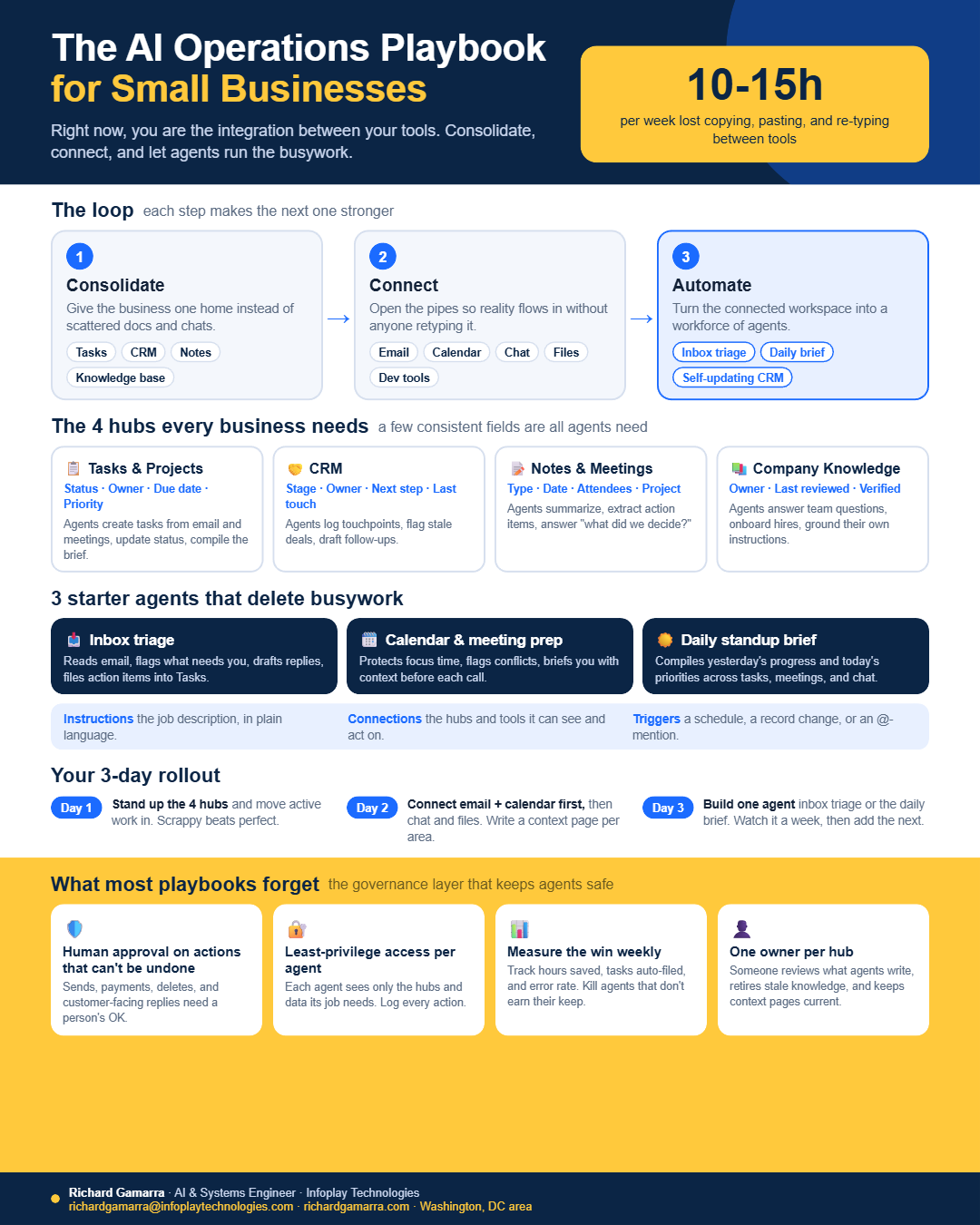
A 1080 by 1350 image covering the loop, the four hubs, three starter agents, the three-day rollout, and the governance checklist.
Download PNG ↓